


Beginner Friendly Projects in Canva Anyone Can Make


Welcome! If you’re brand new to Canva (or you’ve used it a little but still feel unsure what to make), you’re in the right place. Canva is one of the easiest design tools to learn because it gives you ready-made templates, drag-and-drop elements, and simple exports—so you can finish a project in one sitting and actually use it.
In this post, I’m sharing beginner-friendly Canva projects anyone can make, plus a few tips that will help your designs look polished without needing “graphic designer” skills.
Before you start: a quick Canva setup checklist
These small steps make every project smoother:
Pick your size first. Start with the right canvas (Instagram post, US Letter, etc.) so you’re not resizing later.
Choose 2 fonts max. One for headings, one for body text. (Canva font pairings help a lot.)
Use a simple color palette. Try 3–5 colors: one main, one accent, and a couple neutrals.
Keep alignment clean. Use Canva’s guides and “Position” tools to line things up.
Save brand bits. If you find colors and fonts you love, save them as a Brand Kit (or keep a note for later).
💕 CreativeFabrica has tons of cute fonts and resources to create cohesive brand kits.
Join CreativeFabrica and get access to millions of graphics, crafts, PDFs, classes, and more! All at an affordable monthly price! If you're a crafter or scrapbooker, this site is for you.
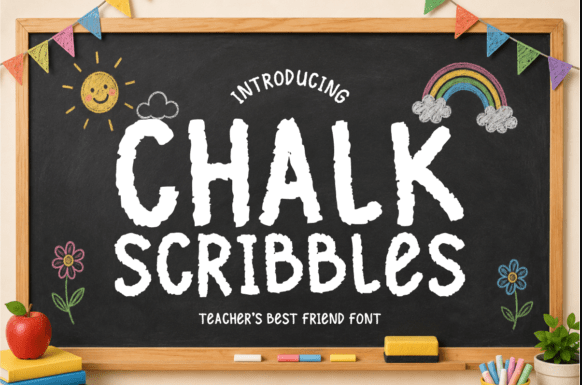
Now through July 14th, you can use my affiliate link by clicking the image below and snag this cute font for free!
1) Social media quote or tip posts
This is the best “first Canva project” because it’s fast, forgiving, and helps you practice spacing and typography.
What to make:
A motivational quote
A quick tip carousel (3–5 slides)
A “Did you know?” fact post
How to make it in Canva:
Create a new design: Instagram Post (Square) or Instagram Carousel.
Search templates for “quote” or “tips” and pick one with a clean layout.
Swap in your text, then adjust spacing (line height and letter spacing) until it’s easy to read.
Add a small logo or handle at the bottom.
Beginner tip: If your text doesn’t look right, don’t redesign—just try a different font pairing and increase the white space.
2) Instagram Stories (polls, countdowns, and announcements)
Stories are perfect for beginners because they’re meant to be quick and casual. You can make a simple template once and reuse it.
What to make:
New product announcement
Weekly Q&A prompt
Poll + “vote here” story
Countdown to a launch or event
How to make it:
Create Instagram Story.
Choose a minimal template with a strong headline area.
Add a photo/video, then layer a soft color overlay to make text readable.
Export as PNG or MP4.
Beginner tip: Stick to one layout style for a whole week—your Stories will feel cohesive and you’ll save time.
3) Printable checklists and trackers
Printables are a classic Canva project because they’re simple to design and super useful.
What to make:
Daily routine checklist
Weekly habit tracker
Cleaning checklist
Goal planner page
How to make it:
Create US Letter (or A4 if you prefer).
Add a title at the top and a clean grid/table layout.
Use icons sparingly (a few small ones go a long way).
Export as PDF Print for the best quality.
Beginner tip: Use light gray lines instead of black—it looks softer and more professional.
4) Simple planners (one-page or mini bundles)
Once you can make a checklist, you can make a planner page. The trick is consistency.
What to make:
Weekly planner page
Meal planner + grocery list
Budget overview sheet
How to make it:
Start with a template that already has sections.
Keep the same font sizes across pages (e.g., headings 20–24, body 12–14).
Duplicate the page to create a mini set and adjust only the section titles.
Beginner tip: Duplicate is your best friend. Design once, then reuse.
5) Gift tags, labels, and stickers
This is a fun project that teaches you how to work with shapes, text, and consistent spacing.
What to make:
Printable gift tags
Pantry labels
Planner stickers
How to make it:
Choose US Letter.
Create one tag/label, then duplicate it across the page.
Use Canva’s Position → Tidy up tools to align everything.
Export as PDF Print.
Beginner tip: Keep text bold and readable—tiny thin fonts can disappear when printed.
6) Pinterest pins (easy traffic-friendly designs)
Pinterest pins are beginner-friendly because you can use templates and simple text overlays.
What to make:
Blog post pins
Product pins
Before/after pins
How to make it:
Create Pinterest Pin.
Pick a template with a strong headline.
Use one clear image and one clear message.
Export as PNG.
Beginner tip: Big text wins. If you have to squint, it’s too small.
7) E-book or lead magnet cover (plus one inside page)
You don’t need to design a whole book to start—just make a cover and one sample page. It’s a great confidence builder.
What to make:
A short guide cover (PDF)
A workbook cover
A “freebie” first page
How to make it:
Create US Letter (or your preferred e-book size).
Design the cover with a strong title, subtitle, and a clean image.
Add one interior page with headings, bullet points, and plenty of spacing.
Beginner tip: Keep it simple. A clean cover with strong typography looks more “premium” than a busy one.
8) A reusable Canva template you can customize each time
Templates are the ultimate beginner win: you do the work once, and future-you gets to reuse it.
What to make:
A weekly Instagram post template
A Story template set
A printable checklist template
How to make it:
Create your design.
Keep elements “locked” that you don’t want to move.
Save it as a copy each time you reuse it so the original stays clean.
Beginner tip: Name your files clearly (e.g., “IG Quote Template – Blue”) so you can find them later.
Make your designs look polished (even as a beginner)
Here are a few quick upgrades that make a big difference:
Use fewer elements. One focal point beats five competing ones.
Increase margins. More breathing room makes designs look intentional.
Match your icon style. Don’t mix line icons with filled icons unless you mean to.
Use photos with similar lighting. Canva’s filters can help create consistency.
Check contrast. Text should be easy to read on every device.
🌟 Final Thoughts
Canva gets easier the more you make. Pick one project from this list, set a 30-minute timer, and let your first version be “good enough.” You’ll be surprised how quickly your confidence grows.
If you try one of these projects, save it, post it, or print it—then come back and make a second version. That’s where the magic happens.
Rea 🌻Creator of A Rea of Treasures


Comments